Designing Your Home Office to Match Professional Workspace Standards
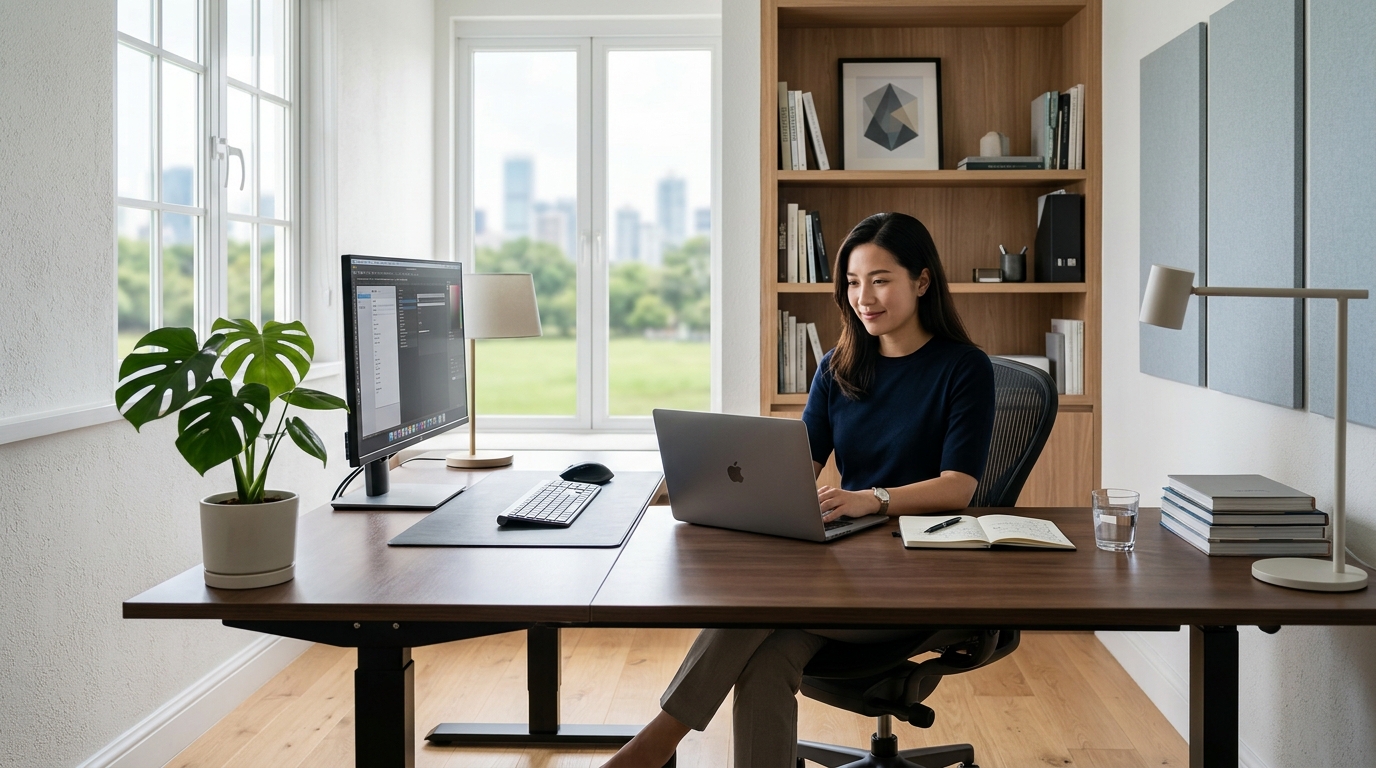
Working from home doesn’t mean working from your couch with a laptop balanced on a pillow. A thoughtfully designed home office can match the professionalism of any corporate workspace while reflecting your personal style and workflow needs. The difference between a makeshift setup and a productive workspace often comes down to intentional design choices that prioritize both function and aesthetics.
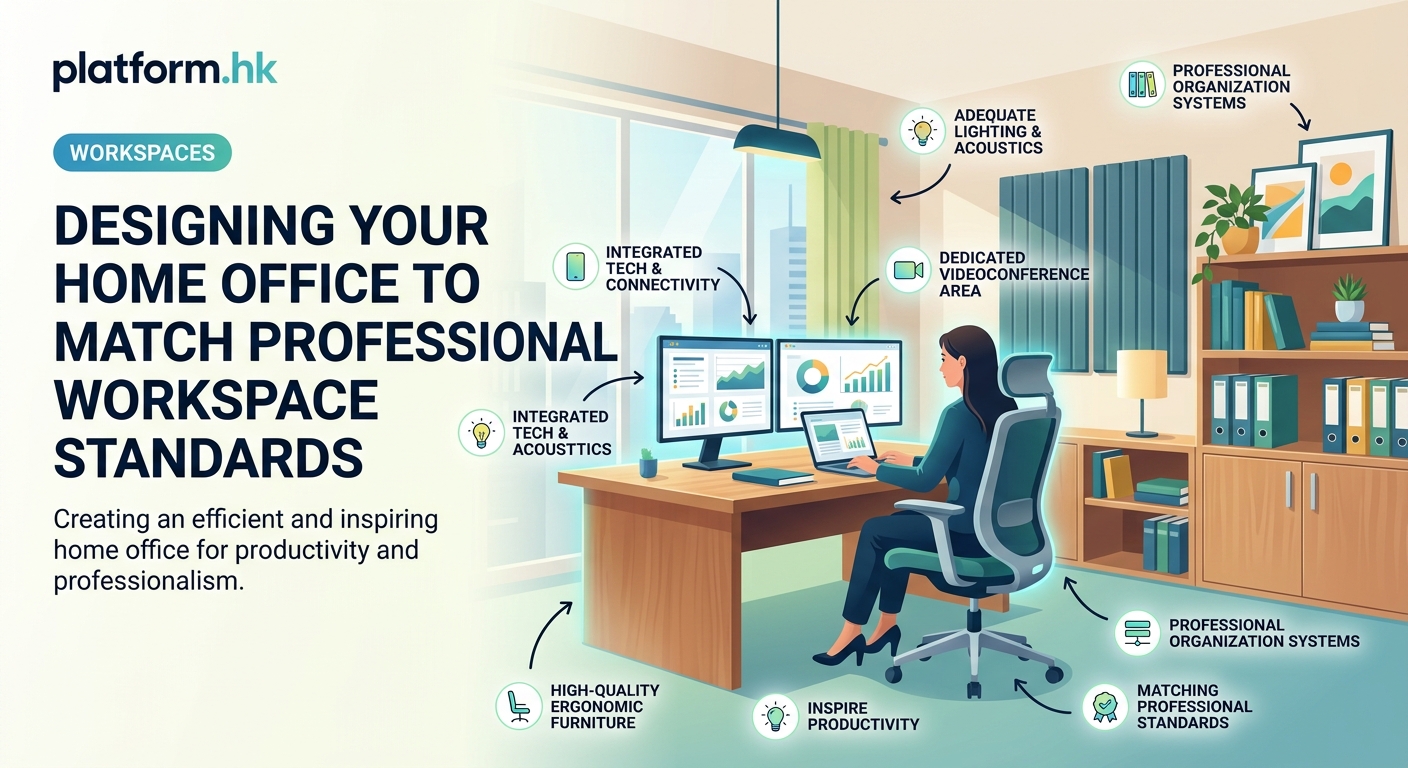
Creating a professional home office requires balancing [ergonomic furniture](https://www.cdc.gov/niosh/topics/ergonomics/), strategic lighting, organized storage, and personal touches that inspire focus. Start with a dedicated space, invest in quality essentials like an adjustable desk and supportive chair, then layer in lighting and organization systems. Add personal elements that motivate you without creating visual clutter, ensuring your workspace supports both productivity and wellbeing throughout your workday.
Finding Your Perfect Workspace Location
The first step in designing a functional home office is choosing the right location. Not everyone has a spare room waiting to become an office, and that’s perfectly fine.
Look for spaces with natural light. A corner near a window beats a dark basement every time. Your brain responds to daylight, helping regulate your sleep cycle and energy levels throughout the day.
Consider noise levels carefully. If you take client calls, you need separation from kitchen chaos or living room conversations. A bedroom corner with a door works better than an open kitchen nook for video meetings.
Think about your daily workflow. Do you need to reference physical files constantly? You’ll want storage nearby. Do you work primarily on a laptop with minimal equipment? A smaller footprint might suit you better.
Some unconventional spaces work surprisingly well:
- Converted closets with the doors removed
- Under-staircase nooks with added lighting
- Attic spaces with proper climate control
- Finished basement corners with moisture management
- Wide hallways with minimal foot traffic
The key is dedicating a specific area exclusively to work. Your brain needs spatial cues to shift into professional mode.
Choosing Furniture That Works as Hard as You Do
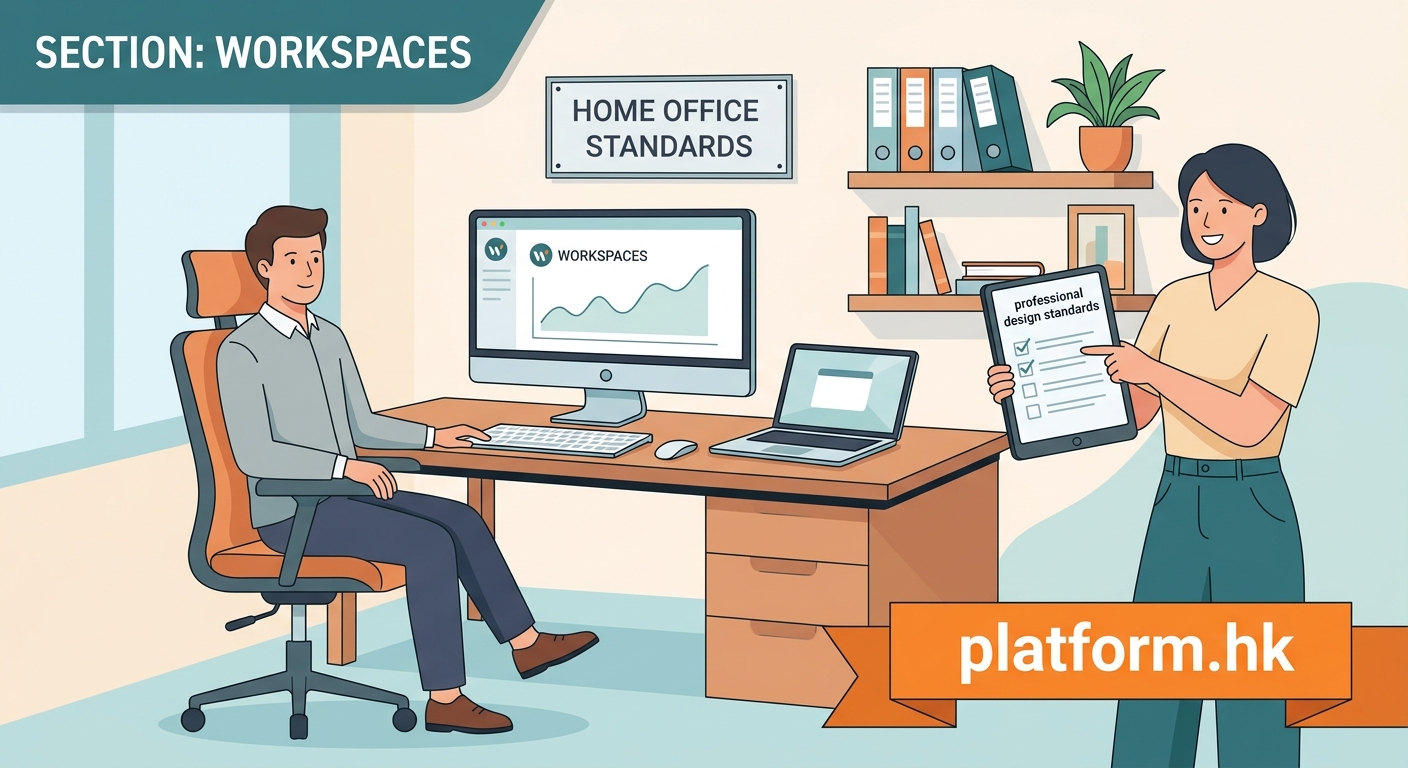
Your desk and chair form the foundation of your home office. These aren’t areas to cut corners.
An adjustable standing desk lets you alternate between sitting and standing throughout the day. This flexibility reduces back strain and keeps your energy levels more consistent. Look for electric models with memory presets so you can switch positions without fumbling with measurements.
Your office chair deserves serious attention. You’ll spend more time in this chair than most other furniture you own. Prioritize lumbar support, adjustable armrests, and seat depth customization. The chair should support your lower back’s natural curve without forcing you into an uncomfortable position.
Desk size matters more than you might think. Measure your equipment first. Two monitors, a laptop stand, a notebook, and a coffee cup take up real estate fast. Add six inches to your estimated width to avoid that cramped, cluttered feeling.
Storage furniture should match your actual needs, not aspirational organization dreams. If you’re paperless, don’t buy a filing cabinet. If you have physical samples or materials, vertical shelving beats horizontal sprawl.
“The best home office furniture adapts to your body and work style, not the other way around. If you find yourself constantly adjusting or feeling uncomfortable, the furniture is wrong, not you.” – Workspace ergonomics specialist
Lighting Your Workspace for Energy and Focus
Poor lighting causes eye strain, headaches, and afternoon energy crashes. Great lighting makes everything easier.
Layer three types of lighting for optimal results:
- Ambient lighting fills the room with general illumination. Overhead fixtures or ceiling lights provide this base layer.
- Task lighting focuses on your work surface. A desk lamp with adjustable brightness and color temperature gives you control throughout the day.
- Accent lighting reduces harsh shadows and adds visual interest. A floor lamp behind your monitor or bookshelf lighting softens the overall effect.
Natural light remains your best option when available. Position your desk perpendicular to windows rather than facing them directly. This reduces screen glare while keeping daylight accessible.
Color temperature affects your alertness and mood. Cooler light (5000K-6500K) mimics daylight and promotes focus during morning and midday work. Warmer light (2700K-3000K) feels more relaxing for evening tasks or creative work.
Avoid positioning your monitor directly in front of or behind a window. The contrast between bright windows and your screen forces your eyes to constantly readjust, causing fatigue.
Organizing for Productivity Without Visual Chaos
Organization systems should make your work easier, not create another maintenance task.
Start with these practical steps:
- Audit everything currently in your workspace and remove items you haven’t used in three months.
- Group similar items together (writing tools, tech accessories, reference materials).
- Assign each group a specific home where items always return after use.
- Choose storage solutions that keep frequently used items within arm’s reach.
- Schedule a five-minute reset at the end of each workday to maintain the system.
Cable management transforms a professional space into a polished one. Use cable clips, sleeves, or raceways to route cords along desk legs or walls. Label cables at both ends so you know what you’re unplugging.
Desktop organizers work when they match your actual workflow. If you rarely use pens, a pen cup just collects dust. If you reference sticky notes constantly, a dedicated holder makes sense.
Vertical storage maximizes limited space. Wall-mounted shelves, pegboards, or floating cabinets keep your floor clear and your supplies visible.
| Organization Tool | Best For | Common Mistake |
|---|---|---|
| Drawer dividers | Small supplies, cables, tools | Buying before measuring drawer dimensions |
| Desktop file sorter | Active project papers | Letting it become a dumping ground |
| Cable management box | Power strips, excess cord length | Choosing too small a size |
| Floating shelves | Books, decorative items, plants | Mounting without proper wall anchors |
| Pegboard system | Frequently changed tool arrangements | Installing without planning hook placement |
Adding Technology That Enhances Your Setup
Your home office technology should simplify your work, not complicate it.
Monitor placement affects your neck and eye comfort. The top of your screen should sit at or slightly below eye level when you’re seated with good posture. Position monitors about an arm’s length away from your eyes.
A second monitor increases productivity for most knowledge workers. Place your primary monitor directly in front of you and the secondary monitor to the side at a slight angle.
Webcam positioning matters for video calls. Mount your camera at eye level or slightly above. Looking up at the camera creates an unflattering angle. Looking down appears dismissive to meeting participants.
Audio quality often matters more than video quality on calls. A dedicated USB microphone produces clearer sound than built-in laptop mics. Position it six to twelve inches from your mouth, slightly off to the side to reduce breath sounds.
Invest in a quality keyboard and mouse if you work long hours. Ergonomic designs reduce wrist strain. Mechanical keyboards provide better tactile feedback than membrane versions, though they’re noisier.
A laptop stand raises your screen to proper eye level while freeing desk space underneath for a keyboard. This setup mimics a desktop configuration while maintaining laptop portability.
Creating the Right Atmosphere
Your home office atmosphere affects your mood, energy, and creativity throughout the workday.
Color psychology plays a real role in workspace design. Blue tones promote calm focus and are ideal for analytical work. Green reduces eye strain and works well for long computer sessions. Yellow stimulates creativity but can overwhelm in large doses. White creates a clean slate but may feel sterile without accent colors.
Plants improve air quality while adding life to your space. Low-maintenance options include:
- Snake plants that tolerate low light and irregular watering
- Pothos vines that grow easily and filter air pollutants
- ZZ plants that survive neglect and dim conditions
- Spider plants that propagate easily and remove toxins
Temperature control impacts your productivity more than you might realize. Most people work best between 68-72°F. A small space heater or desktop fan gives you control independent of whole-house systems.
Sound management helps you focus. If household noise distracts you, try noise-canceling headphones, a white noise machine, or background music at low volume. Some people work better in complete silence, while others need ambient sound.
Personal touches make your office feel like yours. Family photos, artwork, or meaningful objects create emotional connection to your space. Keep these items visible but not cluttering your primary work surfaces.
Designing for Video Calls and Virtual Presence
Your background tells a story during video meetings. Make it intentional.
Position your desk so your background shows a clean, professional view. A wall with artwork, organized bookshelves, or subtle plants works well. Avoid backgrounds showing unmade beds, laundry piles, or busy household traffic.
Lighting for video calls requires front-facing light sources. A ring light or desk lamp positioned behind your camera illuminates your face evenly. Avoid backlighting from windows, which turns you into a silhouette.
Background depth creates visual interest. Sitting a few feet from your wall rather than directly against it adds dimension and prevents that “mug shot” appearance.
Virtual backgrounds work in a pinch but often look artificial. If you use them, choose subtle, professional images rather than tropical beaches or outer space.
Test your setup before important calls. Check your framing, lighting, and background. Adjust as needed. Your video presence represents your professionalism just as much as your work quality.
Adapting Small Spaces Into Functional Offices
Limited square footage doesn’t mean limited functionality. Small space design requires creativity and intentionality.
Murphy desks fold against the wall when not in use, transforming your office into living space instantly. Look for models with integrated storage for supplies.
Corner desks maximize awkward spaces that don’t work well for other furniture. L-shaped configurations provide surprising surface area in compact footprints.
Furniture with dual purposes stretches your space further. A storage ottoman provides seating and holds supplies. A bookshelf room divider creates office separation in a studio apartment.
Wall-mounted everything saves floor space. Floating desks, fold-down tables, and wall-mounted monitors keep your floor clear and your room feeling larger.
Use vertical space aggressively. Tall, narrow shelving units store as much as wide, short ones while occupying less floor area.
Maintaining Your Workspace Over Time
Designing your office is step one. Maintaining it requires ongoing attention.
Daily resets prevent clutter accumulation. Spend five minutes at the end of each workday returning items to their designated spots and clearing your desk surface.
Weekly reviews catch small issues before they become big problems. Check for burned-out bulbs, wobbly furniture, or organization systems that stopped working.
Seasonal refreshes keep your space feeling current. Swap artwork, adjust lighting for changing daylight hours, or rearrange furniture to match your evolving workflow.
Equipment upgrades happen gradually. Replace items as they wear out or when your needs change. You don’t need to renovate everything at once.
Listen to your body. If you develop new aches, adjust your setup. If your eyes strain more than usual, reassess your lighting. Your workspace should support your health, not compromise it.
Making Your Home Office Work for You
The best home office design reflects how you actually work, not how Instagram suggests you should work. Start with the essentials that directly impact your comfort and productivity. Add refinements over time as you understand your needs better.
Your workspace will evolve as your work changes. That’s normal and healthy. Build flexibility into your design so adjustments feel natural rather than requiring complete overhauls. The goal isn’t perfection on day one. The goal is creating a space that supports your best work today and adapts to your needs tomorrow.