What Are the Hidden Costs of Running a Remote Team?

You’ve done the math. Remote work saves on office rent, commutes, and free snacks. The spreadsheet looks great until six months in, when you realize your budget missed half the story.
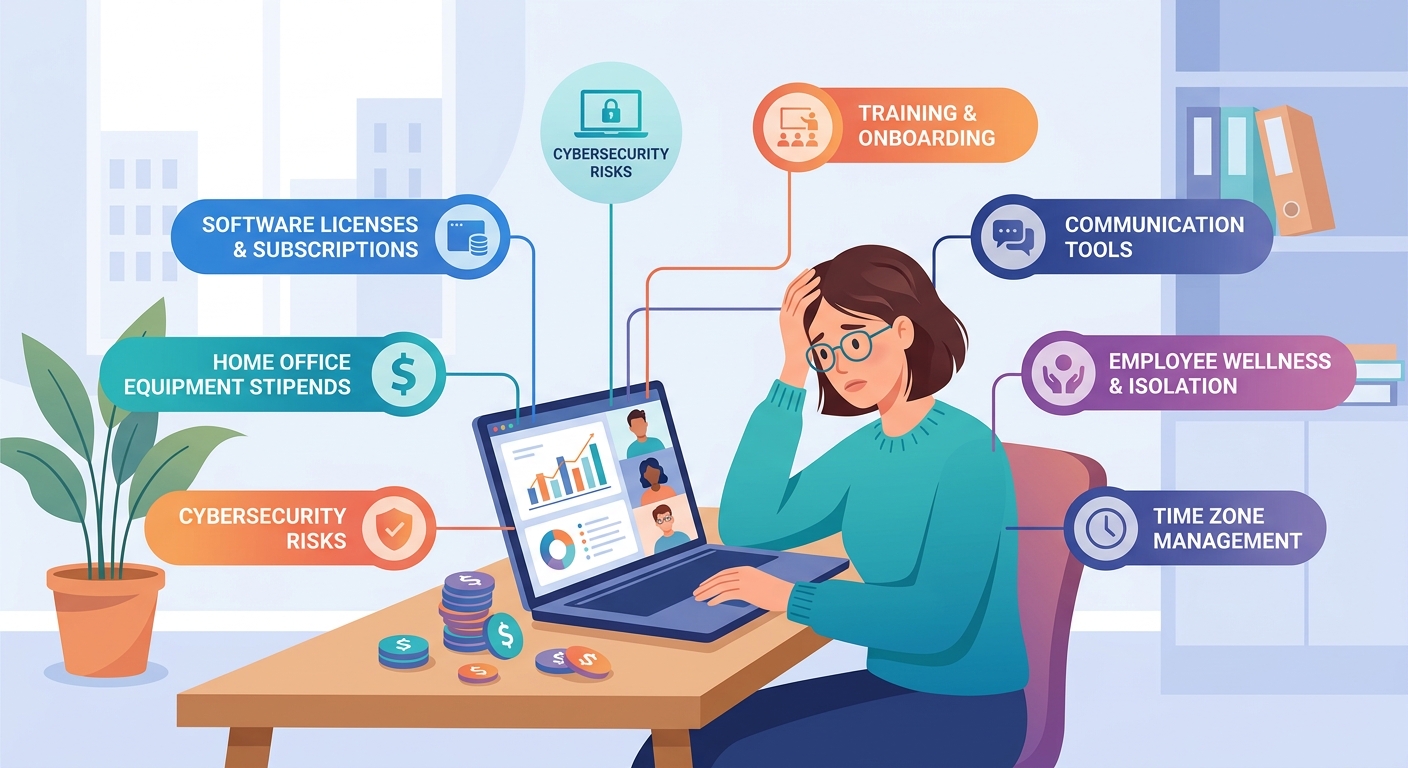
Remote teams introduce expenses that traditional office budgets never account for. From productivity losses due to communication delays to higher turnover from isolation, these hidden costs of remote teams can quietly drain 20 to 40 percent more than anticipated. Understanding where money actually disappears helps leaders build realistic budgets and protect their bottom line while maintaining team effectiveness.
Communication overhead eats more budget than you think
Every message in a remote team carries invisible weight. What takes 30 seconds at a desk becomes a 15 minute Slack thread, a video call, or worse, radio silence for hours.
Your team spends real money waiting. An engineer blocks on a design question for two hours because the designer is asleep in another timezone. A customer success rep can’t close a deal without approval that won’t come until tomorrow morning. These gaps don’t show up on invoices, but they compound daily.
The average remote worker sends 200 percent more messages than their office counterpart. Each message interrupts someone else’s focus. Context switching costs your team up to 40 percent of productive time, according to research from the American Psychological Association.
You’ll need tools to manage this chaos. More video conferencing licenses. Project management platforms. Async communication systems. Document collaboration software. Screen recording tools. The stack grows, and so does the monthly bill.
But the real cost isn’t the subscriptions. It’s the time your team spends learning them, maintaining them, and working around their limitations.
Timezone differences create expensive dead zones
You hired the best talent regardless of location. Smart move. Now you’re paying for the consequences.
Your New York marketing manager needs feedback from your Manila developer. She asks at 9 AM her time. He’s asleep. He responds at 9 AM his time. She’s asleep. A task that should take one day stretches into three.
Meetings become mathematical nightmares. Finding a slot that works for San Francisco, London, and Singapore means someone always suffers. Either you pay for late night hours, accept reduced participation, or record everything and watch productivity crawl.
Some companies solve this with “overlap hours” requirements. Great in theory. In practice, you’re asking someone to work 6 AM to 2 PM or 2 PM to 10 PM permanently. That lifestyle tax drives turnover, which brings its own costs we’ll address shortly.
The financial impact shows up in three ways:
- Project timelines extend by 30 to 50 percent
- Decision making slows to a crawl
- Customer response times suffer, affecting revenue
You can’t eliminate timezone costs entirely. But ignoring them in your budget is financial malpractice.
Culture building requires actual money
Office culture happened accidentally. Someone brought donuts. You celebrated birthdays. Friday drinks just emerged. It cost almost nothing.
Remote culture costs real money because nothing happens by accident.
Want your team to feel connected? You’ll need:
- Virtual team building activities that don’t make people cringe (facilitators charge $500 to $2,000 per session)
- Annual or biannual in-person retreats (budget $2,000 to $5,000 per person including flights, hotels, and activities)
- Swag and care packages to build belonging (quality items run $50 to $150 per person quarterly)
- Recognition programs that work remotely (platforms start at $5 to $15 per employee monthly)
Skip these investments and watch what happens. Your team becomes a collection of strangers who happen to share a Slack workspace. Engagement drops. Innovation stalls. People leave.
The retreat budget alone shocks most first time remote leaders. Flying eight people from different cities to spend three days together easily hits $30,000. But companies that skip retreats see turnover costs that make that look like pocket change.
Turnover costs multiply in remote environments

Replacing an employee typically costs 50 to 200 percent of their annual salary. Remote teams face higher turnover because isolation, lack of mentorship, and weak connections make jumping ship easier.
Your developer doesn’t see teammates struggling through the same problems. Your new hire doesn’t grab coffee with veterans who share unwritten rules. Your manager can’t read body language that signals burnout before someone quits.
Here’s what replacing a remote employee actually costs:
| Cost Category | Office Employee | Remote Employee | Why Remote Costs More |
|---|---|---|---|
| Recruiting | $4,000 | $5,500 | Wider search, more screening needed |
| Onboarding | $3,000 | $4,500 | Requires better documentation, more video training |
| Lost Productivity | $8,000 | $11,000 | Knowledge transfer harder remotely, longer ramp time |
| Cultural Impact | $2,000 | $4,000 | Team cohesion harder to rebuild remotely |
| Total (for $80k role) | $17,000 | $25,000 | 47% higher |
The numbers get worse for senior roles. Lose a remote engineering lead and you’re looking at six months of reduced team output while you hire and onboard their replacement.
Prevention costs money too. Competitive salaries, professional development, better benefits, and engagement programs all require budget. But they’re cheaper than the alternative.
Home office stipends add up faster than expected
You saved on office space. Congrats. Now your team expects you to fund their home offices.
Fair request, actually. You’re asking them to provide the workspace. Many regions legally require employers to cover work from home costs.
A reasonable home office stipend runs $500 to $2,000 per person for initial setup:
- Ergonomic chair: $300 to $800
- Desk: $200 to $600
- Monitor: $200 to $500
- Keyboard and mouse: $100 to $200
- Lighting: $50 to $150
- Webcam and headset: $150 to $300
Then add $50 to $150 monthly for internet upgrades, electricity, and equipment replacement. For a 20 person team, that’s $1,000 to $3,000 monthly you didn’t budget.
Some employees work from cafes or coworking spaces. Those memberships cost $100 to $400 monthly per person. You’ll need a policy, a reimbursement system, and someone to manage it all.
The alternative is watching your team work from kitchen tables with terrible lighting, creating a unprofessional impression on client calls and destroying their backs in the process.
Security and compliance become complex and costly
Your office had a firewall, locked doors, and IT staff who could physically grab a laptop if needed. Remote work turns every home into a potential security breach.
You’ll need:
- VPN services for secure connections
- Endpoint protection for every device
- Mobile device management software
- Cloud security tools
- Security training programs
- Compliance auditing for distributed teams
For a 15 person team, expect $5,000 to $15,000 annually just for basic security tools. Add another $3,000 to $10,000 for compliance depending on your industry.
One data breach from an unsecured home network can cost millions in fines, legal fees, and reputation damage. Insurance premiums rise for remote companies because the risk profile changes.
“We thought we could skip the enterprise security tools for our small remote team. Then an employee’s home network got compromised and we spent $40,000 on emergency security consulting, legal review, and customer notification. The security tools would have cost $8,000 annually.” – Startup founder who learned the hard way
IT support gets trickier too. Your technician can’t walk to someone’s desk. Remote troubleshooting takes longer. Shipping equipment for repairs costs more. You might need to contract local IT support in multiple cities.
Training and development require different approaches
Your office team learned by osmosis. Junior employees watched senior ones work. Questions got answered in hallways. Skills transferred naturally.
Remote teams need structured learning, which costs money.
Effective remote training includes:
- Professional course subscriptions: $200 to $500 per employee annually
- Video training platform licenses: $15 to $50 per user monthly
- Virtual conference attendance: $500 to $2,000 per person yearly
- One on one coaching or mentorship programs: $1,000 to $5,000 per employee
- Internal knowledge base tools and maintenance: $10 to $25 per user monthly
The hidden cost isn’t the tools. It’s the extra time senior people spend documenting processes that used to live in their heads. Every procedure needs a video, a written guide, and probably a FAQ section.
Calculate how many hours your experienced team members spend creating training materials. At $75 to $150 per hour for senior talent, building a comprehensive knowledge base can easily cost $20,000 to $50,000 in time alone.
Skip this investment and new hires flounder for months instead of weeks. The productivity gap costs far more than proper training ever would.
Management overhead increases without better systems
Managing remote teams takes more effort than managing office teams. Your managers need training in async communication, remote performance evaluation, and virtual team dynamics.
Many companies solve this by hiring more managers, reducing span of control from 8 to 10 direct reports down to 5 to 7. For every 40 employees, that’s one or two additional management salaries at $80,000 to $120,000 each.
Your managers also need better tools:
- Time tracking software (if appropriate for your culture)
- Performance management platforms
- Employee engagement survey tools
- One on one meeting frameworks
- Analytics to understand productivity patterns
These tools cost $5 to $20 per employee monthly. But the real expense is the learning curve and the management time spent using them effectively.
Poor remote management creates a doom loop. Micromanagement drives people away. Too little oversight lets problems fester. Finding the balance requires investment in manager development that most budgets overlook.
Collaboration tools multiply beyond initial estimates
You started with Slack and Zoom. Simple. Affordable.
Six months later your stack includes:
- Communication: Slack, Zoom, maybe Microsoft Teams
- Project management: Asana, Monday, or Jira
- Documentation: Notion, Confluence, or Google Workspace
- Design collaboration: Figma, Miro, or similar
- File storage: Dropbox, Google Drive, or Box
- Password management: 1Password or LastPass
- Time tracking: Toggl or Harvest
- HR and benefits: Gusto, BambooHR, or similar
- Screen recording: Loom or similar
Each tool costs $5 to $50 per user monthly. For a 25 person team, you’re looking at $3,000 to $8,000 monthly in software subscriptions. That’s $36,000 to $96,000 annually.
The costs don’t stop at licenses. Integration between tools requires middleware or custom development. Training people on new tools takes time. Switching costs when a tool doesn’t work out include data migration and relearning.
Tool sprawl also creates hidden productivity costs. Your team wastes time figuring out where information lives. Is that decision in Slack, email, Notion, or the meeting notes? The search alone costs hours weekly.
Mental health and wellness support becomes essential
Remote work increases isolation, blurs work life boundaries, and contributes to burnout. Office workers could leave work behind physically. Remote workers never escape.
Smart companies invest in:
- Mental health benefits and therapy coverage: $50 to $150 per employee monthly
- Wellness stipends for gym memberships or fitness equipment: $30 to $100 monthly
- Mandatory time off policies (which cost in coverage and planning)
- Flexible scheduling support (which requires better project management)
These aren’t nice to haves. They’re retention tools. Burned out employees quit or quietly disengage, costing you far more than wellness programs ever would.
Some companies also offer coworking stipends so people can escape their homes occasionally. Budget another $100 to $400 per person monthly if you go this route.
The ROI on wellness spending is hard to measure but easy to feel. Teams with good support stay longer, work better, and create less drama.
Legal and administrative complexity grows with geography
Every state or country where you employ someone creates new legal obligations. You’ll need:
- Legal counsel familiar with employment law in multiple jurisdictions: $5,000 to $20,000 annually
- Payroll services that handle multi-state or international complexity: higher fees per employee
- Benefits administration across different regions: more expensive plans, more administrative time
- Tax compliance in multiple locations: accounting fees increase
- Employment contracts tailored to local laws: legal fees for drafting and review
Hiring internationally adds visa considerations, currency exchange costs, and employment law complexity that can easily cost $10,000 to $30,000 per international employee annually beyond their salary.
Many companies use Employer of Record services to handle this complexity. These services charge 10 to 20 percent of salary or $200 to $500 per employee monthly. Expensive, but often cheaper than building the expertise in house.
Making remote work actually work within budget
Understanding these hidden costs doesn’t mean remote work isn’t worth it. It means you need honest budgeting.
Start by auditing your current remote spending. Track every tool subscription, every stipend, every training program. Calculate your actual turnover costs. Measure how timezone differences affect project timelines.
Then build a realistic budget that includes:
- 15 to 25 percent buffer for communication and collaboration overhead
- Annual retreat costs of $2,000 to $5,000 per person
- Home office setup and monthly stipends
- Expanded tool stack and integrations
- Enhanced security and compliance measures
- Proper training and development programs
- Management training and potentially additional managers
- Mental health and wellness support
- Legal and administrative complexity
Yes, this makes remote work more expensive than the simple “we saved on rent” calculation suggests. But it’s still often cheaper than equivalent office space in major cities, and it unlocks talent you couldn’t access otherwise.
The companies that succeed with remote work are the ones that budget honestly, invest in the right places, and treat these costs as essential rather than optional. The ones that fail try to run remote teams on an office budget and wonder why everything falls apart.
Your remote team can thrive, but only if you fund it properly. Start with realistic numbers, and you’ll avoid the painful surprises that catch most leaders off guard.